 A. Khatib
Cheap Location Based "Search" with Geohashing in DynamoDB
While building Driiv, a Yelp-like app designed to explore hidden and hip coffee shops, cafes and restaurants, I needed a "good-enough" solution to location based search that didn't use Elasticsearch/Cloudsearch as they had running costs that I didn't want to incur.
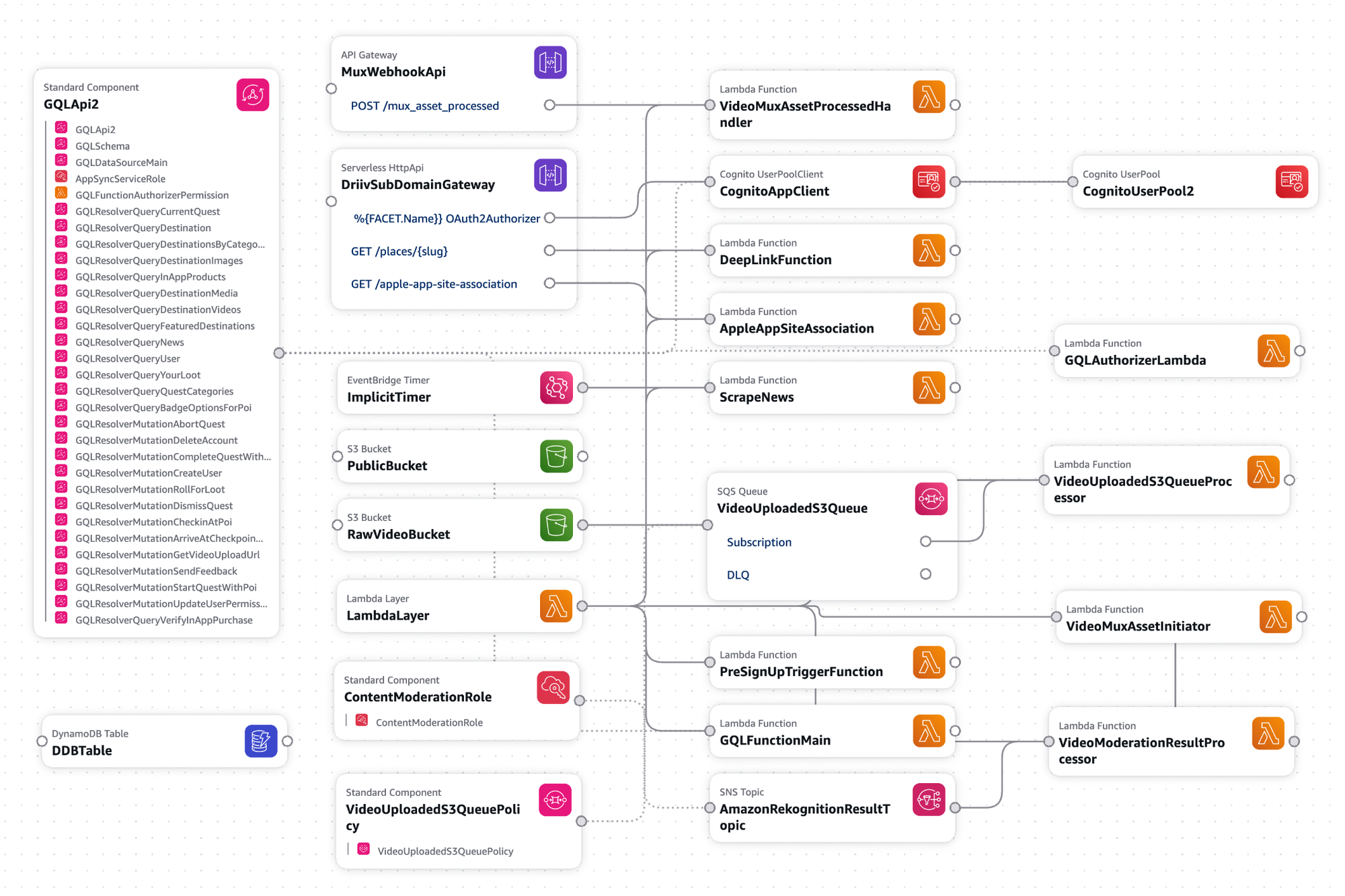
The entire backend is serverless with GraphQL backed by Lambdas for the API and video integration with MUX, DynamoDB and a few other usual AWS services. The entire system scales down almost to zero and there are no running services.
The app doesn't have traditional search by design, instead it ranks and sorts destinations based on ratings and user feedback and curates locations within a radius around the user.
The challenge was enabling fast, efficient location-based filtering using only my single existing DynamoDB table.
- I ruled out any solutions that required a RDBMS (PostgreSQL can index geospatial data but I'm DynamoDB all the way)
- No creating or requiring separate DynamoDB tables dedicated to geospatial data, I REALLY like the advantages of single-table-design, see Rick Houlihan's talk: https://www.youtube.com/watch?v=6yqfmXiZTlM
- No additional local or global secondary indexes that consume provisioned throughput. I have an existing table with the indexes and partition and sort keys already designed, I'm just looking for a thin wrapper that makes it easy to add geohashing on top of my existing data.
- No stomping on my existing partition and sort keys, I need to query locations by geohash and filter the sort-key based on some predefined criteria.
GeoDDB: a thin, unintrusive, "no-dependency" wrapper
GeoDDB impliments geohashing to enable location queries using only a partition key in DynamoDB. You pick the partition key name to use and that's it.
When a new place is added, a geohash is generated from the latitude and longitude. The geohash is the partition key, allowing me to efficiently retrieve location data for a user around that location.
# Adding a location to Driiv's database
gddb = GeoDDB(table, pk_name='PK', precision=5)
lat, lon = 33.63195443030888, -117.93583128993387

data = {
    'SK': 'coffee#daydream',
    'Name': 'Daydream',
    'EntityType': 'Coffee/Surf Shop',
    'Address': '1588 Monrovia Ave, Newport Beach, CA 92663'
}

gddb.put_item(lat, lon, data)
Querying Nearby Places
When a user opens the app and wants to find coffee shops near their location, GeoDDB queries the table using the user's position plus all neighboring cells. This ensures no nearby results are missed, even if they're just across a cell boundary.
# Finding coffee shops near the user
results = gddb.query(userLat, userLon, ddb_kwargs={
    'KeyConditionExpression': Key('SK').begins_with('coffee#'),
})
Note that there is no radius filter. The distance is built-in or encoded into the geohash itself. Geohash precision is what controls the size of the cells which impacts the range of results.
The Benefits for Driiv
- No Additional Infrastructure: GeoDDB works with existing DynamoDB table(s) without requiring new tables or indexes.
- Fast Queries: Location filtering execute as simple partition key queries, no table scanning.
- Flexible Filtering: Driiv can combine location queries with other filters, like category type or user ratings by filtering on the sort-key.
- Cost Efficient: By avoiding GSIs and keeping data in a single table, I can minimize read capacity consumption
Geohash Precision
GeoDDB allows me to use different geohash precisions for different types of location queries. A precision of 5 (approximately 5km x 5km cells) works well for finding restaurants and coffee shops in a neighborhood, while larger precisions could be used for things like hikes where users may be looking for longer day trips vs short coffee runs.
Example: Using Different Precisions
Here's how Driiv uses different precision levels for different use cases:
# Neighborhood exploration - High precision (precision 6 ≈ 1.2km x 0.6km)
neighborhood_gddb = GeoDDB(table, pk_name='PK', precision=6)
nearby_spots = neighborhood_gddb.query(user_lat, user_lon, ddb_kwargs={
    'KeyConditionExpression': Key('SK').begins_with('cafe#'),
})

# Regional discovery - Lower precision (precision 4 ≈ 40km x 20km)
city_gddb = GeoDDB(table, pk_name='PK', precision=4)
city_locations = city_gddb.query(user_lat, user_lon, ddb_kwargs={
    'KeyConditionExpression': Key('SK').begins_with('hikes#'),
})
Precision Reference Table:
| Precision | Cell Size | Best Use Case in Driiv |
|---|---|---|
| 2 | ~1,252km x 624km | State-level |
| 3 | ~150km x 150km | Regional attractions, large landmarks |
| 4 | ~40km x 20km | County attractions, large landmarks |
| 5 | ~5km x 5km | City neighborhoods, quest zones |
| 6 | ~1.2km x 0.6km | Walking distance, local spots |
| 7 | ~153m x 153m | Street-level discovery |
The Result
The combination of fast, cost-efficient queries and flexible filtering meant that I could include location based filtering that can scale to millions of locations and users without compromising performance or managing Elasticsearch and all of the costs that come with it. There was no added infrastructure and the system still costs almost nothing to operate.
Updating Location Data
When the actual location of a spot changes, the old location record must be copied and re-added with the new lat-lon. There is no way around this because DynamoDB's PK and SK form the primary key of the record and cannot be changed. Deleting the old record is specific to the application but could be something like this:
# Update a location's information
existing_record = {
    'PK': '9emp',
    'SK': 'coffee#daydream',
    'Name': 'Daydream',
    'EntityType': 'Coffee/Surf Shop',
    'Address': '1588 Monrovia Ave, Newport Beach, CA 92663',
    'Rank': 4.2
}

new_record = existing_record.copy()

new_record.pop('PK') # not really necessary as it will be overwritten

new_record['Rank'] = 4.8
new_record['Hours'] = ['Mon-Sun: 7am-6pm']

# GeoDDB handles the geohash automatically
gddb.put_item(33.63195443030888, -117.93583128993387, new_record)

table.delete_item(Key={'PK': existing_record['PK'], 'SK':  existing_record['SK']})

# careful, no transaction on the above ^^
Try it:
pip install geoddb
import boto3
from geoddb import GeoDDB

ddb = boto3.resource('dynamodb')
table = ddb.Table('FooTable')

gddb = GeoDDB(table, pk_name='PK', precision=5)

gddb.put_item(lat, lon, your_data)
Check out Driiv:
- Driiv.app - Discover hidden gems in your city
- Available on iOS and Android